
AI photo prompts for wedding pictures help you turn a simple photo into a bright, dreamy wedding portrait in a few minutes. You upload your own photo, paste a prompt, and the AI changes the outfit, the background, and the light while keeping your face the same. This guide shows you how to do it in Google Gemini and ChatGPT, with five ready prompts for mandap, haldi, mehndi, sangeet, and reception looks. You need no editing skill and no paid app to start. Check you are on the latest app version first, because menu names can change.
At a glance
AI photo prompts for wedding pictures work like this: you upload one clear photo, add a short written prompt, and Gemini or ChatGPT creates a new wedding style picture. Most tries take two to five minutes. Both apps have free plans, though daily limits can apply and are not officially fixed, so check the app first. It works best for WhatsApp and Instagram, wedding invites, and trying a look before the real shoot.
Quick overview
Here is the quick picture of AI photo prompts for wedding pictures and what you need.
| Topic | AI photo prompts for wedding pictures |
|---|---|
| Category | Ai Photo Prompt |
| Tools | Google Gemini, ChatGPT |
| Skill level | Beginner |
| Time needed | 2 to 5 minutes per picture |
| Media needed | 1 clear front-facing photo |
| Cost | Free plans available; limits may apply |
What you will make
With AI photo prompts for wedding pictures, one ordinary photo can become a full wedding album look: a mandap portrait, haldi picture, mehndi close-up, sangeet scene, reception portrait, palace sunset, or rain scene. Each idea below needs only one photo and one prompt.
| Idea | Best for | Photo you need |
|---|---|---|
| Mandap portrait | Profile picture, wedding invite | Front-facing photo, both people together |
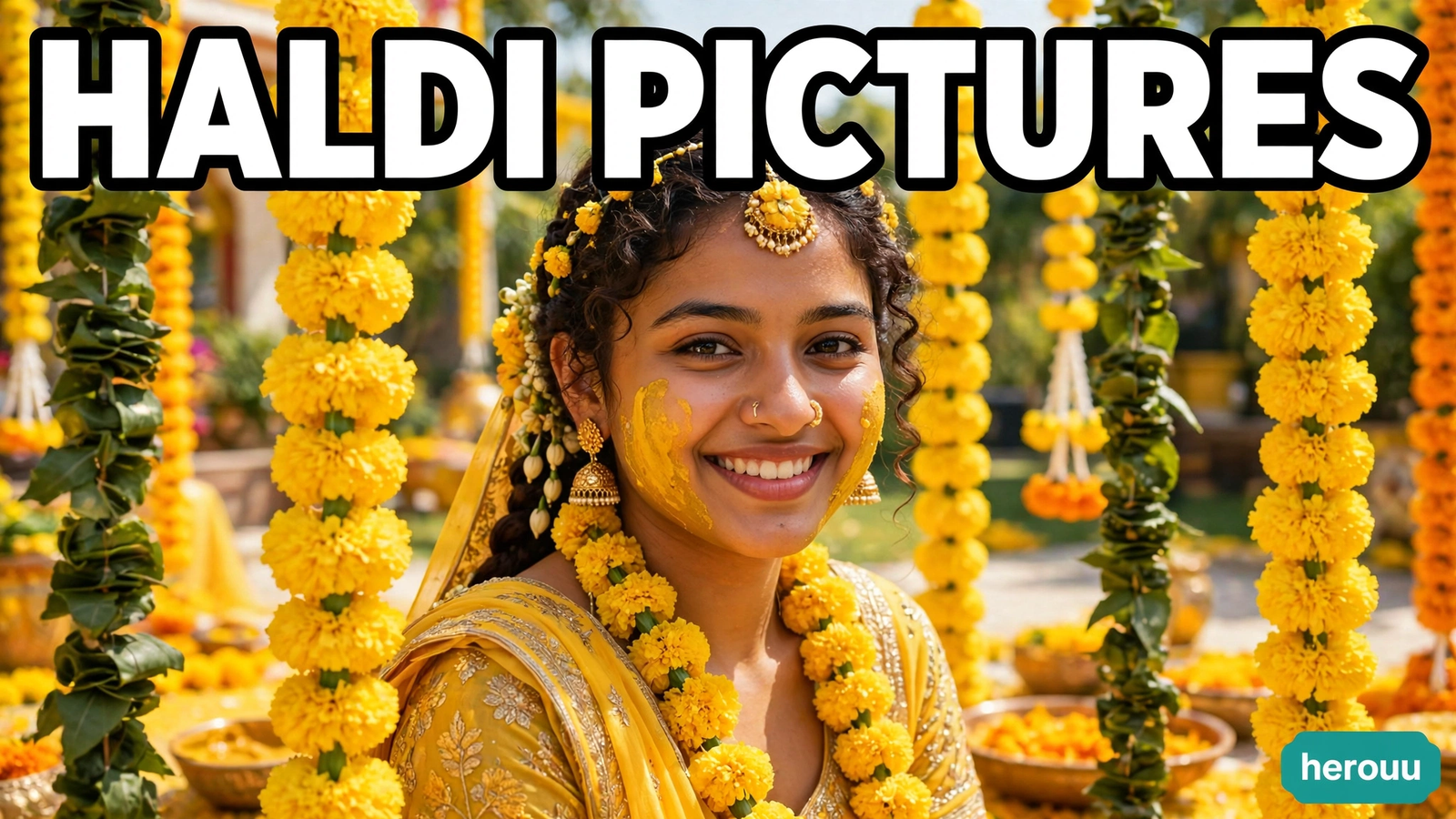
| Haldi pictures | Fun family sharing, Instagram | Smiling close photo, face clearly visible |
| Mehndi close-up | Showing henna and bangles | Close photo of hands or a side profile |
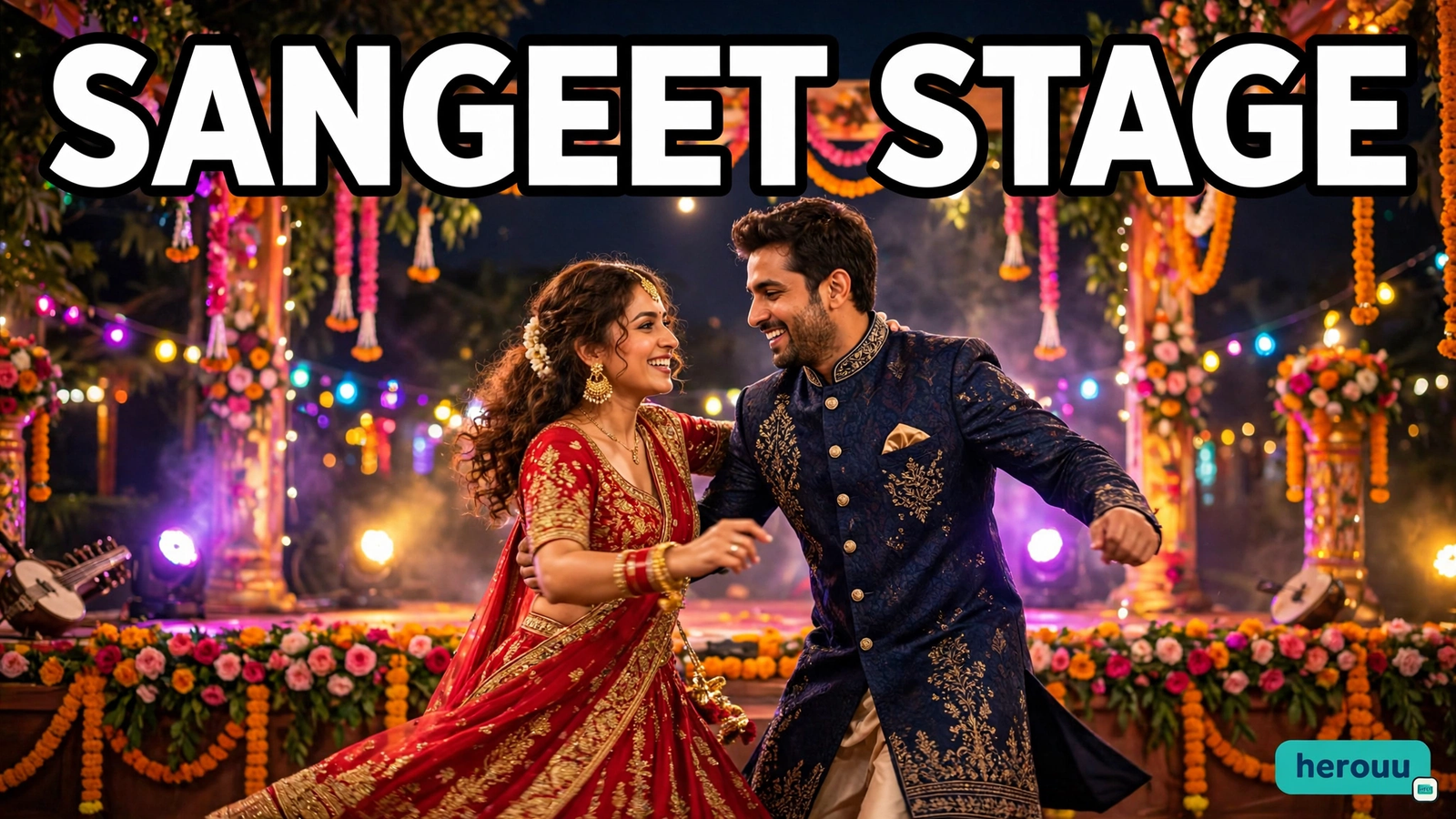
| Sangeet stage | Dance night posts, reels cover | Full body photo with space around you |
| Reception portrait | Thank you cards, framed print | Clear couple photo, head to waist |
Before you start
Good AI photo prompts for wedding pictures start with a good photo: your face clear, front-facing, and well lit, best taken in daylight near a window. Avoid sunglasses, heavy filters, and group photos where faces are small, because the AI has less to work with and the face can change.
Use only your own photo, or a photo of someone who has said yes. Do not upload a stranger’s photo or one from the internet. Keep the original saved, so you can try again if the first result is not right.
| What you need | Why it matters |
|---|---|
| Phone with internet | Gemini and ChatGPT run in the app or browser |
| Gemini app or ChatGPT app | Both can edit a photo you upload |
| 1 clear photo | A sharp face gives a closer match |
| Storage space | Save the results you like |
| 5 minutes per picture | Most tries finish quickly |
Steps in Gemini and ChatGPT
Follow these steps to use AI photo prompts for wedding pictures. The buttons look a little different in each app, but the flow is the same.
- Open Google Gemini or ChatGPT on your phone. Sign in if the app asks you to.
- Start a new chat and tap the plus or attach button near the message box.
- Upload your photo. Choose the clear front-facing photo you picked earlier.
- Paste your prompt from the section below, in one message with the photo.
- Add the details that matter: outfit, setting, light, mood, and aspect ratio. For example: red lehenga, flower mandap, warm evening light, happy mood, portrait 4:5.
- Tell the AI to keep the face unchanged: keep the same face, same smile, and same hairstyle.
- Send the message and wait; most pictures take under a minute.
- Check the result closely: the face, the hands, the jewellery, and the outfit edges.
- Ask for a fix in a short follow-up if something is wrong, and say only what to change, like make the lehenga deeper red and keep the face the same.
- Download the picture you like in the best quality the app offers, and keep a copy in your phone gallery.
That is the full flow for AI photo prompts for wedding pictures in both apps.
In ChatGPT, photo editing works the same way: upload the photo, paste the prompt, and ask for changes. In Gemini, you can do the same in the app or on the website. If a button name looks different, the app likely updated. Check the official help page for the latest steps.

AI photo prompts for wedding pictures to copy
These five AI photo prompts for wedding pictures are written for this guide. Copy one, paste it with your photo, and change the outfit colour or setting to match your taste. Each one asks the AI to keep the face the same.
Prompt 1: Mandap portrait
Copy this prompt:
Turn this photo into a bright Indian wedding mandap portrait. Keep the same face, same smile, and same hairstyle. Dress the bride in a deep red lehenga with gold jewellery, and the groom in a cream sherwani with a matching turban. Place them under a mandap of orange marigold flowers and warm fairy lights, in soft golden evening light. Happy and calm mood, sharp focus, portrait 4:5.
Prompt 2: Haldi pictures
Copy this prompt:
Turn this photo into a cheerful haldi ceremony picture. Keep the same face and the same smile. Add a light touch of turmeric paste on the cheeks, a yellow outfit with a marigold garland, and a background of yellow marigold strings and green leaves in bright daylight. Fresh, joyful mood, natural skin, bright colours, portrait 4:5.
Prompt 3: Mehndi close-up
Copy this prompt:
Turn this photo into a close-up mehndi picture. Keep the same face and the same hands. Show detailed dark henna on the hands, red and gold bangles, and a soft blurred background of marigolds and warm lights. The bride wears a green outfit with gold work. Gentle evening light, calm and elegant mood, sharp focus on the henna, portrait 4:5.
Prompt 4: Sangeet stage
Copy this prompt:
Turn this photo into a lively sangeet stage picture. Keep the same faces and the same smiles. Dress the bride in a red lehenga and the groom in a navy blue sherwani, dancing on a stage with colourful lights, flowers, and a happy crowd softly blurred behind them. Fun, energetic mood, bright stage light, portrait 4:5.
Prompt 5: Reception portrait
Copy this prompt:
Turn this photo into a soft reception portrait. Keep the same faces and the same smiles. Dress the bride in a pastel pink lehenga with light gold jewellery and the groom in a light grey suit with a pink pocket square. Place them in a bright hall with white flowers and soft warm lights. Elegant and relaxed mood, clean background, sharp focus, portrait 4:5.
If a prompt gives you a look you love, save that wording. Small changes, like a new colour or sunset background, give you a new picture without starting from zero.
Tips
These tips make AI photo prompts for wedding pictures work better on the first try.
- Start with your best photo. A sharp, front-facing photo in daylight gives the closest face match, and no prompt can fix a blurry original.
- Change one thing at a time. If the outfit is right but the background is wrong, ask only for a new background. Changing everything at once hides what worked.
- Keep prompts short and clear. Long prompts confuse the AI. Name the outfit, the setting, the light, and the mood, then stop.
- Try the same prompt twice. The AI makes a fresh picture each time, so a second try often fixes a small face or hand problem.
- Match the outfit to the event. Haldi suits yellow and daylight, while reception suits soft pastels and warm indoor light. The right match makes the picture feel real.
- Save every good version. Download the ones you like right away, because chats can be hard to find later and free plans may limit remakes.
Common problems and fixes
Most problems with AI photo prompts for wedding pictures come from the photo or a vague prompt.
| Problem | Likely cause | Fix |
|---|---|---|
| The face looks different | The photo was small, dark, or side-facing | Use a clear front-facing photo and add keep the same face to the prompt |
| Hands or fingers look wrong | AI often struggles with hands | Ask for a closer crop, or pick a portrait that hides the hands |
| The outfit colour is off | The prompt did not name the colour clearly | Name the exact colour, like deep red, and ask again |
| The picture looks dull | The light in the prompt was vague | Add warm evening light or bright daylight to the prompt |
| The background looks fake | Too many details in one prompt | Keep the background simple, like marigold flowers and soft lights |
| The app refuses the photo | The photo may break the app rules | Use your own clear photo, and check the official help page for the limits |
Frequently asked questions
1. What are AI photo prompts for wedding pictures?
AI photo prompts for wedding pictures are short written instructions you give to an AI app with your photo. The prompt tells the app what outfit, setting, light, and mood to create. You upload your picture, paste the prompt, and the app makes a new wedding style photo while keeping your face the same.
2. Are Gemini and ChatGPT free for wedding photo prompts?
Both Gemini and ChatGPT have free plans that can edit photos, but daily limits and features can change. The exact free limits are not officially fixed in one place, so check the app first. If you hit a limit, wait and try again, or try the other app.
3. Will the AI keep my face the same?
It usually keeps the face close when the original photo is clear and front-facing. AI photo prompts for wedding pictures work best when you add keep the same face, same smile, and same hairstyle to your prompt. If the face still changes, try a sharper photo, or ask for a small fix in a follow-up.
4. Which photo works best for wedding prompts?
A clear front-facing photo in good daylight works best, with the face large in the frame and no sunglasses or heavy filters. Couple photos suit mandap and reception looks, while a close photo suits haldi and mehndi. Avoid group photos with small faces.
5. Can I use these prompts for haldi, mehndi, and sangeet?
Yes, these AI photo prompts for wedding pictures cover haldi, mehndi, sangeet, mandap, and reception looks. Each prompt names the outfit, colours, and setting for that event. You can change the colours or background to match your wedding theme and make a matching set.
6. How do I fix a picture that looks wrong?
Ask for one small fix at a time in a follow-up message, like make the lehenga deeper red and keep the face the same. If the face or hands look wrong, try the same AI photo prompts for wedding pictures again, or upload a clearer photo. Do not rewrite the whole prompt each time.
7. Can I print or share these AI wedding pictures?
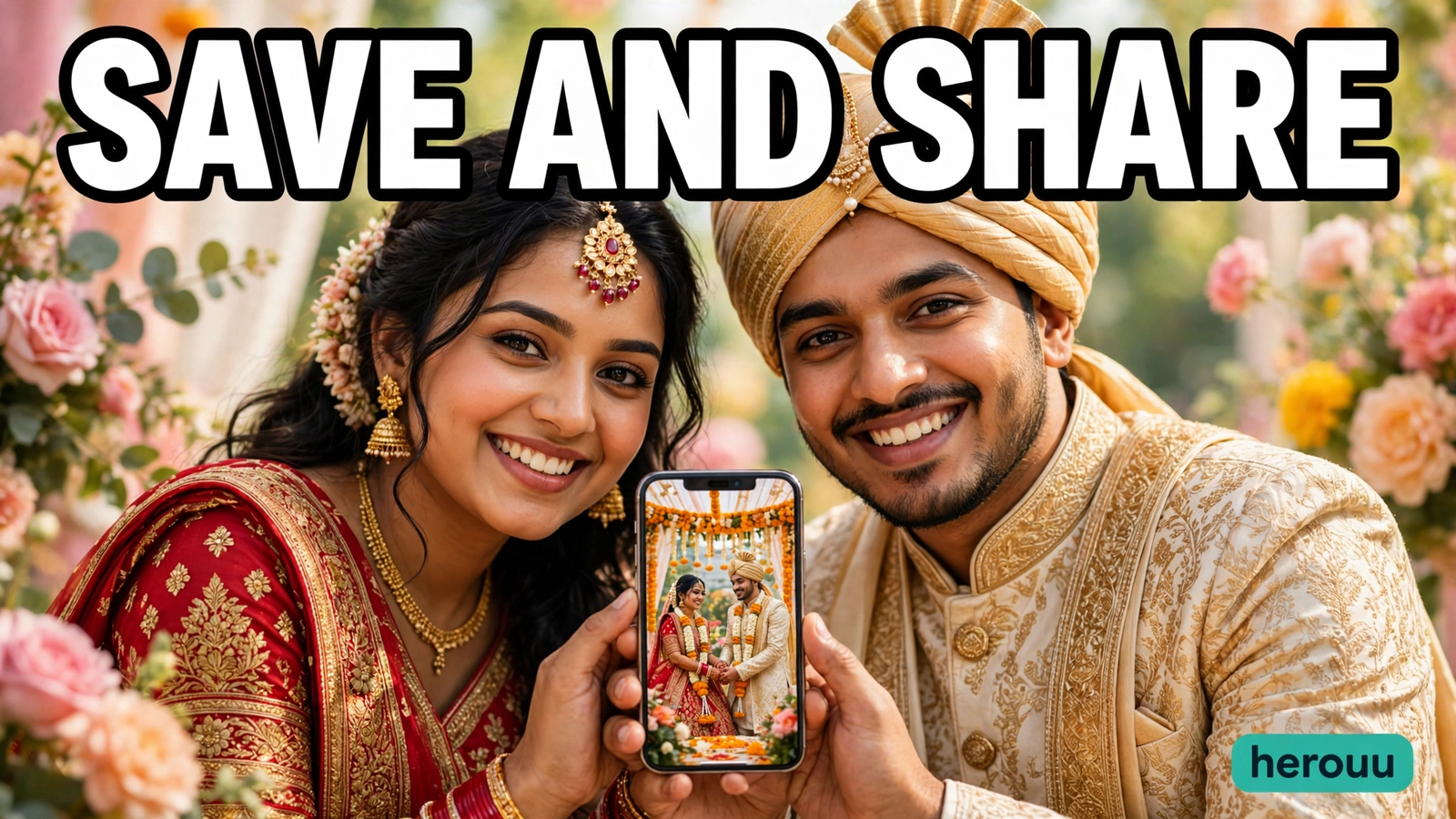
Yes, you can share them on WhatsApp and Instagram and use them for invites and save the date cards. For a large print, save the best quality the app offers and check sharpness first. AI pictures are best for fun and sharing, not a replacement for a real wedding photographer.
8. Is it safe to upload my photo to Gemini or ChatGPT?
Upload only your own photo, or a photo of someone who has agreed to it. Read the privacy settings in the app before you upload, because your photo is processed on their servers. Do not upload photos of children or strangers, or pictures that show private details like your home address.
9. Why does the same prompt give a different picture each time?
AI image tools make a fresh picture on every try, even with the same words and the same photo. Small changes are normal with AI photo prompts for wedding pictures. If you like one version, download it right away. Run the prompt again for another option, and keep the wording saved.
Conclusion
AI photo prompts for wedding pictures make it easy to try mandap, haldi, mehndi, sangeet, and reception looks from one photo on your phone. Pick a clear photo, copy a prompt from this guide, and change the colours to match your wedding. Try one today, save the ones you love, and browse the Ai Photo Prompt category for more ideas.
Related reading
These guides use the same idea as AI photo prompts for wedding pictures, for other events.
- Festival AI Photo Prompts: Bright Festival Pictures Guide
- AI Photo Prompts for Family Portraits: Easy Bright Guide
- AI Photo Prompts for Couple Portraits: Easy Bright Guide
- AI Photo Prompts for Solo Portraits: Easy Bright Guide
- AI Photo Prompts for Birthday Pictures: Easy Bright Party Guide
About herouu
herouu shares free templates, photo prompts, and video editing ideas for everyday creators. Every guide is written in simple English, with steps you can follow on your phone and prompts you can copy. Browse the Ai Photo Prompt category for more AI photo prompts for wedding pictures.
Disclaimer
This guide is based on the official Gemini and ChatGPT help pages and the steps as written here. App features, free limits, and menu names can change, so check the official app or help page before you start. These AI photo prompts for wedding pictures are original and written for herouu. Results vary with your photo, and AI pictures may not match a real photo exactly.
Sources
- Google Gemini — https://gemini.google.com/
- ChatGPT — https://chatgpt.com/
- EditsPrompts, pre-wedding prompt guide — https://editsprompts.com/pre-wedding-prompt/
- Entri, Gemini prompts for marriage image generation — https://entri.app/explore/prompt-engineering/gemini-prompts-for-marriage-image-generation/
Note: No detail here relies on a feature that is not officially announced. Free limits for Gemini and ChatGPT are not officially fixed in one place, and this guide says so where it matters.